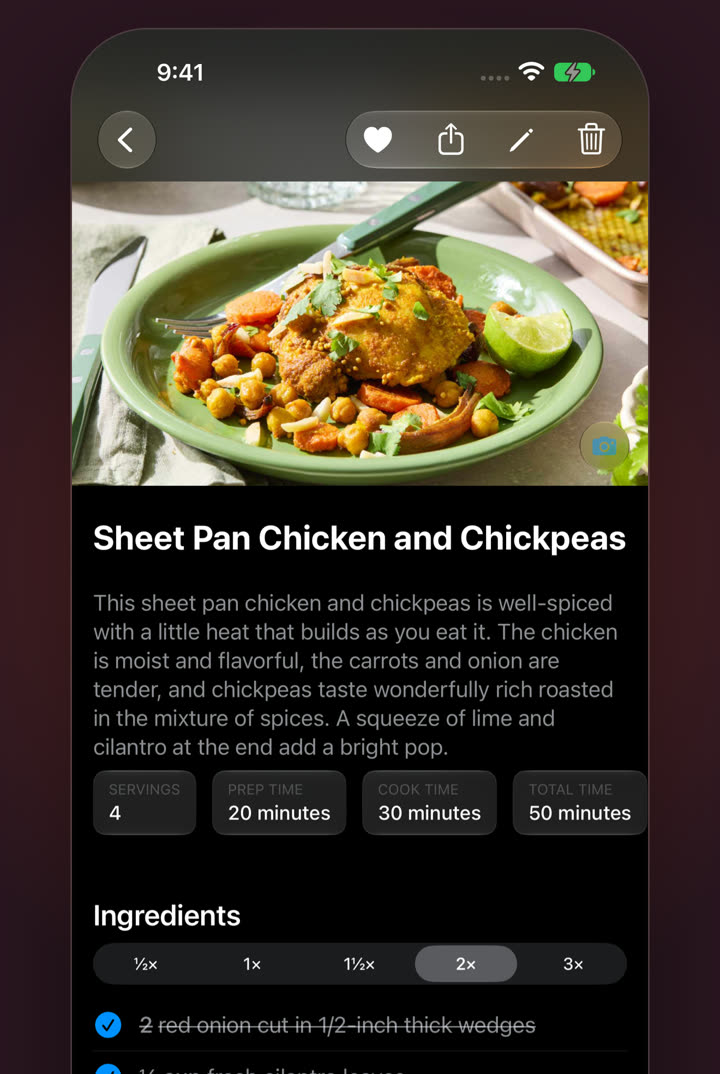
Remember how it looked
Add a photo of your finished dish so next time you know what you’re aiming for.
Scale & check
Pick ½× to 3× and every quantity updates, in the ingredient list and inside the steps. Tick ingredients off as they go in so you never wonder whether the cumin’s already in.
Try it: pick a size, then tap an ingredient.
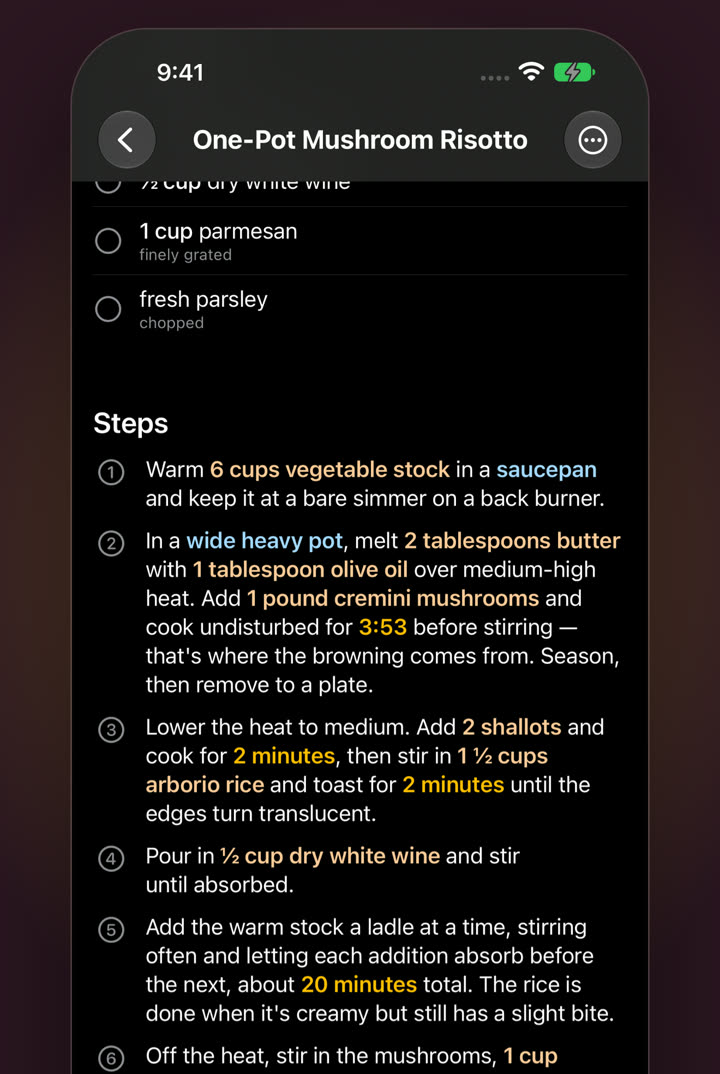
Steps
Numbered steps with ingredients, cookware and times highlighted as you read. No scrolling back up to check how much butter.
 KEPT
Illustration: Dynamic Island and Lock Screen
Timers
Tap “20 minutes” and it’s running. Follow it from the Lock Screen and the Dynamic Island while you get on with the sauce.
Add a photo of your finished dish so next time you know what you’re aiming for.
Servings, prep, cook and total time sit right under the title.
Open the Duo and the ingredients sit beside the steps. Kept on iPhone Duo
From half to triple: ½×, 1×, 1½×, 2× or 3×. Quantities update in the ingredient list and in the steps.
Yes. A running timer shows on the Lock Screen and in the Dynamic Island.
For iPhone, iPad and Mac. No subscription.
